## https://sploitus.com/exploit?id=4C8401C4-23BC-5B04-A287-7F1CDCCF0548
# ExploitMind
## Overview
ExploitMind is an end-to-end research framework that fuses AFL++ fuzzing, cloud-grade LLM exploit generation, and a local analyst model under a single orchestrator.
At its core, ExploitMind pushes every crash- or hang-inducing input through an AI "forge":
**AI-1 · Exploit Generator** – turns raw crash data into a runnable Python PoC.
**MCP Orchestrator** – coordinates validation loops and state-sharing between the AIs.
**AI-2 · Analyzer** – produces a human-readable report that explains the exploit in plain English.
Because ExploitMind's pipeline is model-agnostic, you can swap the cloud model, the local model, or even the decision logic in MCP without touching the fuzzing harness. The result is a repeatable cycle that discovers, weaponises, and explains software weaknesses with minimal human intervention.
## Workflow
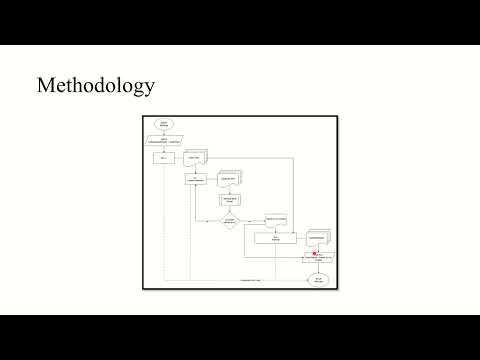
1. **AFL++** finds interesting inputs (crashes, hangs, anomalous paths).
2. **MCP** streams each artifact—plus binary metadata—into **AI-1**.
3. **AI-1** returns a candidate exploit. MCP executes it against the un-instrumented binary.
4. If the exploit fails to execute, MCP feeds the error context back to **AI-1** until it passes or loop termination conditions, whichever comes first.
5. A validated exploit and its provenance are handed to **AI-2**, which writes a beginner-friendly analysis report.
6. All the files (exploit, explanation, report, validation log) will include in `/results`.
### Key Features
1. **Fully Autonomous Pipeline**: - From fuzzing to exploit generation to human-readable reporting — all triggered via a single script, minimal manual intervention required.
2. **Exploit Generation via LLMs**
ExploitMind integrates directly with cloud-based LLMs to convert crash artifacts into working Python exploits. It does this intelligently, validating and refining output until execution succeeds.
3. **On-Device Vulnerability Analysis**
A local custom-model translates technical exploits into plain-English explanations, ideal for reporting, documentation, or onboarding junior analysts.
4. **Model Coordination Protocol (MCP)**
The modular design includes a lightweight orchestration layer that tracks state between models, handles decision logic, and supports pluggable backend upgrades.
5. **AFL++ Integration (In & Out of the Loop)**
ExploitMind leverages AFL++ for crash discovery, with instrumentation for fuzzing and clean binaries for validation — making your toolchain both surgical and repeatable.
6. **Robust Validation Loop**
Every AI-generated exploit is executed and tested against the original binary. If it fails, contextual output is looped back to the generator to improve the payload via *Model Context Protocol (MCP)*.
7. **Clean Output for Further Automation**
All artifacts — validated exploits, original crashes, logs, and AI reports — are saved in a predictable folder structure suitable for CI/CD pipelines or security audits.
## Demo
[](https://www.youtube.com/watch?v=Je8eE3ZiBZw)
## Prerequisites
### System Requirements
- **Operating System**: Linux (Ubuntu/Debian recommended)
- **Python**: 3.8+
- **Memory**: 8GB+ RAM recommended
- **Storage**: 8GB+ free space
### Required Tools
- AFL++ fuzzer
- GCC/Clang compiler toolchain
- Python development headers
*The above tools will be automatically installed during Docker deployment.*
## Docker Deployment
The easiest way to get started is using our pre-configured Docker container:
```bash
#Clone the repository
git clone https://github.com/danindu/exploitmind.git
cd exploitmind
# Build the Docker image
docker build -t exploitmind .
# Run the container interactively
docker run -it exploitmind
# Inside the container, set up your API keys (for Proof of Concept (PoC))
echo "AI_API_KEY=your_key_here" > .env
# Make the main script executable
chmod +x run_exploitmind.sh
# Run the complete automation pipeline
./run_exploitmind.sh
```
## Target Preparation
**For AFL++ fuzzing, you need TWO versions of your target binary:**
1. **Instrumented Binary**: Compiled with AFL++ instrumentation
```bash
# Example compilation
afl-clang-fast++ -o target_instrumented target.c
```
2. **Uninstrumented Binary**: Standard compilation for exploit testing
```bash
# Example compilation
gcc -o target_uninstrumented target.c
```
### Seed Corpus Setup
```bash
# Create seed directory
mkdir -p corpus/seeds
# Add sample input files
echo "sample input" > corpus/seeds/seed1.txt
echo "another sample" > corpus/seeds/seed2.txt
```
## Project Structure
```
ExploitMind/
├── run_exploitmind.sh
├── run_fuzzing.sh
├── setup/
│ └── install_afl.sh
├── api_handlers/
│ ├── ai1_handler.py
│ └── ai2_handler.py
├── utils/
│ ├── exploit_validator.py
│ └── mcp_terminal.py
├── models/
│ └── llama/
├── corpus/
│ └── seeds/
├── results/
│ ├── crashes/
│ ├── exploits/
│ └── reports/
├── requirements.txt
└── .env
```
## Output Analysis
| Artifact | Path | What You Get |
| -------------------------- | --------------------------------------- | --------------------------------------------------------------------------------------------------------------- |
| **Validated exploits** | `results/exploits/` | Self-contained Python Proof of Concept (PoC)s ready for red-team use or bug-bounty submission. |
| **Raw inputs** | `results/crashes/` / `results/hangs/` | Original AFL++ files that triggered abnormal behaviour—kept for triage or alt-analysis. |
| **Validator logs** | `results/validation/` | Exact console output, return codes, and timing data for every exploit attempt—perfect for CI regression checks. |
| **Human-readable reports** | `results/reports/` | Markdown files from **AI-2** that cover vulnerability mechanism, exploit path, impact, and defensive guidance. |
ExploitMind’s directory layout makes it trivial to feed artifacts into downstream pipelines—static analysis, SBOM attestation, or continuous red-team testing—without additional parsing.
## Contributing
Contributions are always welcome!
We welcome contributions from the community. Here's a detailed guide on how to get involved:
### Fork the Repository
Click the Fork button on the GitHub repository to create your own copy.
### Create a Feature Branch
Create a new branch for your feature
```bash
git checkout -b feature/your-feature-name
```
### Commit Your Changes
```bash
git commit -m "Add detailed feature description"
```
### Push the Branch
```bash
git request-pull main origin/my-feature-branch
```
## Acknowledgments
We sincerely thank all open-source developers and contributors for their invaluable contributions.
## Authors
- Sohan Simhar Prabakar ([@Sohan245](https://github.com/Sohan245/))
- Danindu Gammanpilage ([@Danindu](https://github.com/danindu))
- Samarth Bhat.
- Abhinav Harsha ([@Abinav28](https://github.com/Abinav28))