## https://sploitus.com/exploit?id=57EE0E7E-4A8C-58DD-88EE-8DD957B5137E
# CVE-2025-63420
CrushFTP11 before 11.3.7_57 is vulnerable to stored HTML injection in the CrushFTP Admin Panel (Reports / "Who Created Folder"), enabling persistent HTML execution in admin sessions.
# CWE
CWE-79 — Improper Neutralization of Input During Web Page Generation (Cross-site Scripting)
## CVSS v3.1 Base Score: 4.1 (Medium)
```bash
AV:N/AC:L/PR:L/UI:R/S:C/C:N/I:L/A:N
```
# Resolved in
As noted in the vendor changelog ( https://crushftp.com/version11_build.html ) Versions 11.3.7_57 and later are not affected.
>_57:login URL fix and session kicking fix, and a **minor HTMLi for reports: CVE-2025-63420**
# Summary
A stored HTMLi vulnerability in the CrushFTP Admin Panel (Reports / 'Who Created Folder') allows authenticated attackers with permissions to create folders to inject malicious HTML codes.
# Steps to reproduce
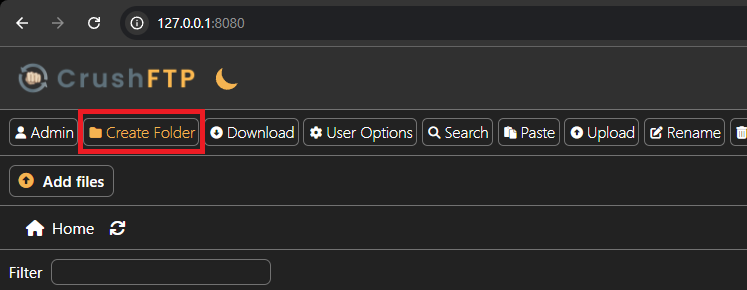
1. Navigate to http://127.0.0.1:8080/
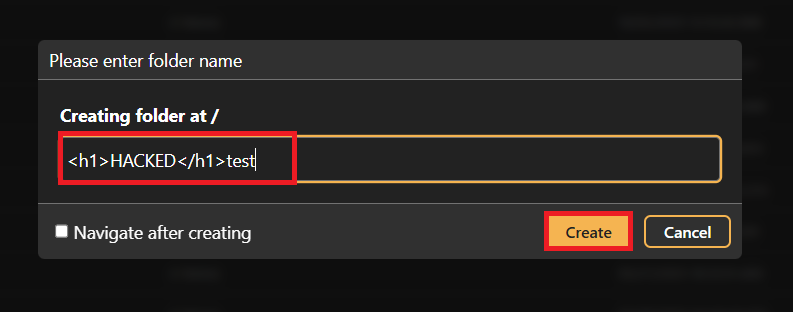
2. Create a new Folder with the following payload:
```html
HACKEDtest
```
3. Navigate to http://127.0.0.1:8080/WebInterface/admin/index.html, Click on "Reports" and select "Who Created Folder":
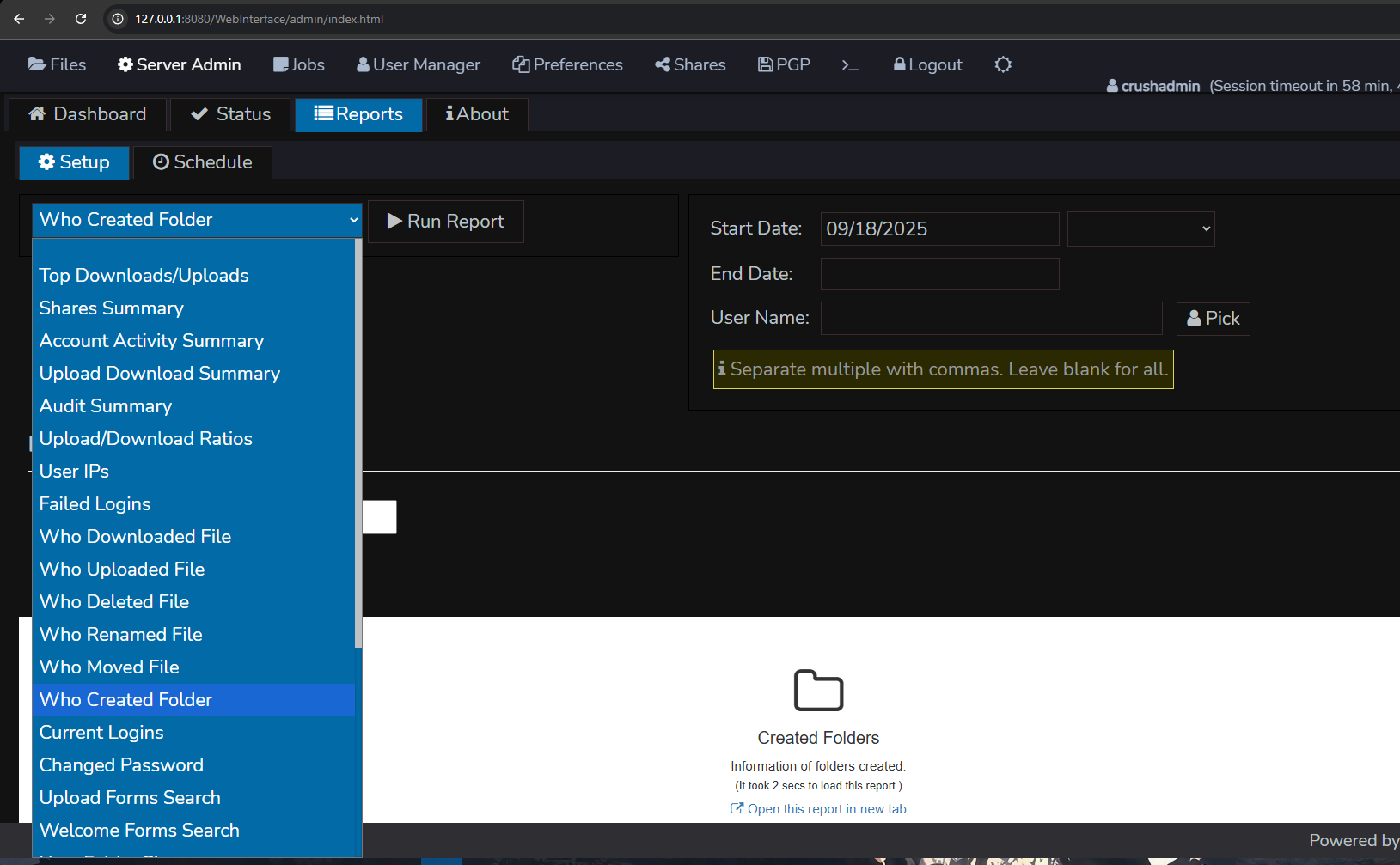
4. Click on "Run Report"
5. Wait for the report to load, after the report is loaded, scroll down and observe the HTMLi:
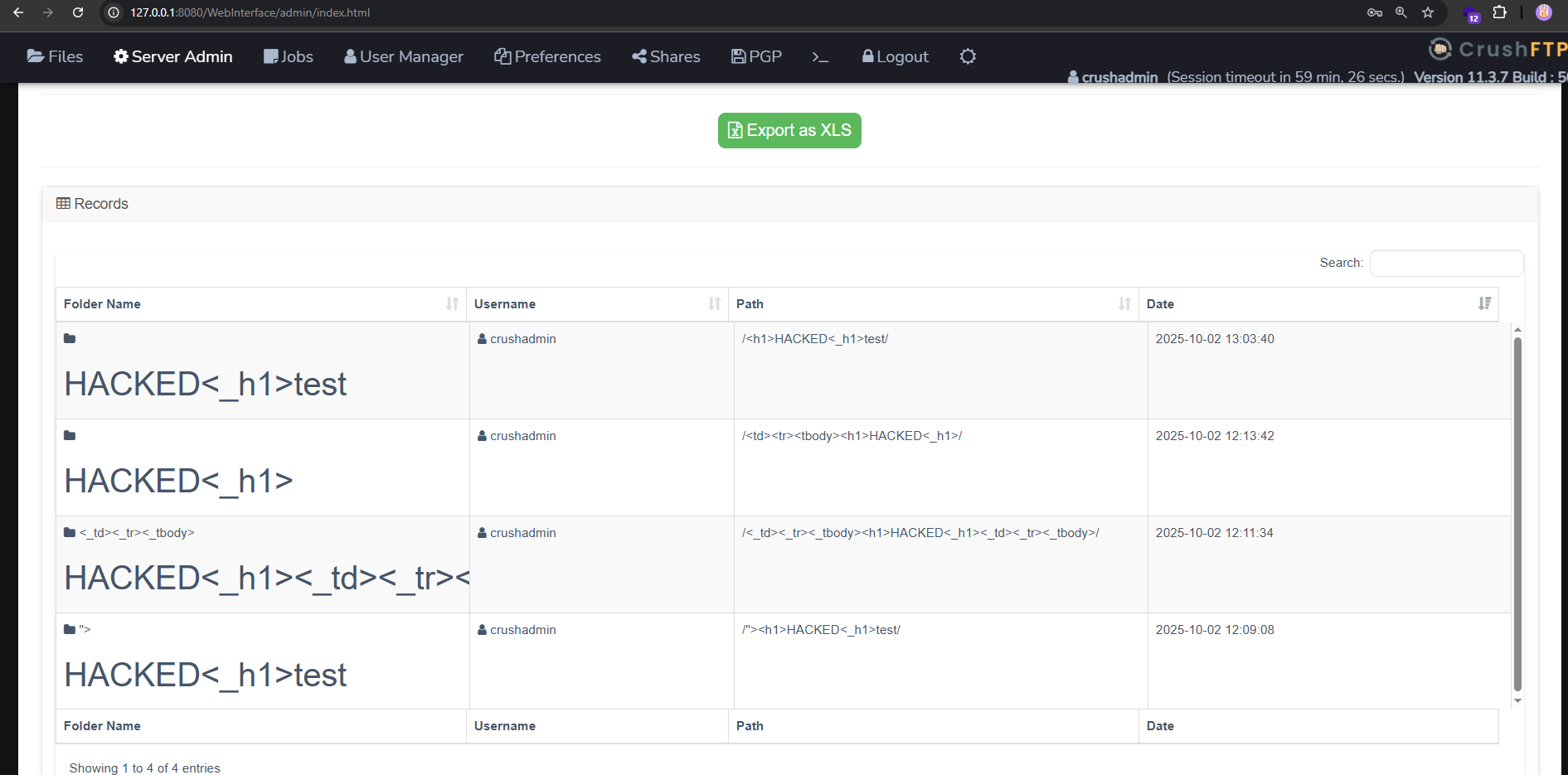
6. For some UI Reasons, you might wanna create 2 folders within the same payload for the HTMLi to show.