## https://sploitus.com/exploit?id=KITPLOIT:POSTS-GITHUB-FREELABZ-SECATOR-V0420
# 
#### The pentester's swiss knife.
      
Features • Supported commands • Installation • Usage • Documentation • Join us on Discord !
`secator` is a task and workflow runner used for security assessments. It supports dozens of well-known security tools and it is designed to improve productivity for pentesters and security researchers.
# Features

* **Curated list of commands**
* **Unified input options**
* **Unified output schema**
* **CLI and library usage**
* **Distributed options with Celery**
* **Complexity from simple tasks to complex workflows**
* **Customizable**
## Supported tools
`secator` integrates the following tools:
Name| Description| Category
---|---|---
arjun| HTTP Parameter Discovery Suite.| `url/fuzz/params`
arp| Display the system ARP cache.| `ip/recon`
arpscan| Scan a CIDR range for alive hosts using ARP.| `ip/recon`
bbot| Multipurpose scanner.| `vuln/scan`
bup| 40X bypasser.| `url/bypass`
cariddi| Crawl endpoints, secrets, api keys, extensions, tokens...| `url/crawl`
dalfox| Powerful open source XSS scanning tool.| `url/fuzz`
dirsearch| Advanced web path brute-forcer.| `url/fuzz`
dnsx| dnsx is a fast and multi-purpose DNS toolkit designed for running various retryabledns library.| `dns/fuzz`
feroxbuster| Simple, fast, recursive content discovery tool written in Rust| `url/fuzz`
ffuf| Fast web fuzzer written in Go.| `url/fuzz`
fping| Send ICMP echo probes to network hosts, similar to ping, but much better.| `ip/recon`
gau| Fetch known URLs from AlienVault's Open Threat Exchange, the Wayback Machine, Common Crawl, and URLScan.| `pattern/scan`
getasn| Get ASN information from IP address.| `ip/probe`
gf| Wrapper around grep, to help you grep for things.| `pattern/scan`
gitleaks| Tool for detecting secrets like passwords, API keys, and tokens in git repos, files, and stdin.| `secret/scan`
gospider| Fast web spider written in Go.| `url/crawl`
grype| Vulnerability scanner for container images and filesystems.| `vuln/scan`
h8mail| Email information and password lookup tool.| `user/recon/email`
httpx| Fast and multi-purpose HTTP toolkit.| `url/probe`
jswhois| WHOIS in JSON format| `domain/info`
katana| Next-generation crawling and spidering framework.| `url/crawl`
maigret| Collect a dossier on a person by username.| `user/recon/username`
mapcidr| Utility program to perform multiple operations for a given subnet/cidr ranges.| `ip/recon`
msfconsole| CLI to access and work with the Metasploit Framework.| `exploit/attack`
naabu| Port scanning tool written in Go.| `port/scan`
nmap| Network Mapper is a free and open source utility for network discovery and security auditing.| `port/scan`
nuclei| Fast and customisable vulnerability scanner based on simple YAML based DSL.| `vuln/scan`
search_vulns| Search for known vulnerabilities in software by product name or CPE.| `vuln/recon`
searchsploit| Exploit searcher based on ExploitDB.| `exploit/recon`
sshaudit| SSH server & client security auditing (banner, key exchange, encryption, mac, compression, etc).| `ssh/audit/security`
subfinder| Fast passive subdomain enumeration tool.| `dns/recon`
testssl| SSL/TLS security scanner, including ciphers, protocols and cryptographic flaws.| `dns/recon/tls`
trivy| Comprehensive and versatile security scanner.| `vuln/scan`
trufflehog| Tool for finding secrets in git repositories and filesystems using TruffleHog.| `secret/scan`
urlfinder| Find URLs in text.| `pattern/scan`
wafw00f| Web Application Firewall Fingerprinting tool.| `waf/scan`
whois| The whois tool retrieves registration information about domain names and IP addresses.|
wpprobe| Fast wordpress plugin enumeration tool.| `vuln/scan/wordpress`
wpscan| Wordpress security scanner.| `vuln/scan/wordpress`
x8| Hidden parameters discovery suite written in Rust.| `url/fuzz/params`
xurlfind3r| Discover URLs for a given domain in a simple, passive and efficient way| `url/recon`
Feel free to request new tools to be added by opening an issue, but please check that the tool complies with our selection criterias before doing so. If it doesn't but you still want to integrate it into `secator`, you can plug it in (see the dev guide).
## Installing secator
Bash
root@kitploit:~
bash -c "$(curl -fsSL https://raw.githubusercontent.com/freelabz/secator/main/scripts/install_universal.sh)"
_**Note:** Supports optional flags `--version`, `--templates`, `--addons`, and `--tools` — run the script with `--help` for details._
Pipx
root@kitploit:~
pipx install secator
_**Note:** Make sure to have pipx installed._
Pip
root@kitploit:~
pip install secator
Docker
root@kitploit:~
docker run -it --rm --net=host -v ~/.secator:/root/.secator freelabz/secator --help
The volume mount -v is necessary to save all secator reports to your host machine, and--net=host is recommended to grant full access to the host network.
You can alias this command to run it easier:
root@kitploit:~
alias secator="docker run -it --rm --net=host -v ~/.secator:/root/.secator freelabz/secator"
Now you can run secator like if it was installed on baremetal:
root@kitploit:~
secator --help
Docker Compose
root@kitploit:~
git clone https://github.com/freelabz/secator
cd secator
docker-compose up -d
docker-compose exec secator-client secator --help
_**Note:**_ If you chose the Docker or Docker Compose installation methods, you can skip the next sections and go straight to Usage.
## Usage
root@kitploit:~
secator --help
### Usage examples
To get a complete cheatsheet of what you can do with `secator`, please read the output of:
root@kitploit:~
secator cheatsheet
Run a fuzzing task (`ffuf`):
root@kitploit:~
secator x ffuf http://testphp.vulnweb.com/FUZZ
Run a url crawl workflow:
root@kitploit:~
secator w url_crawl http://testphp.vulnweb.com
Run a host scan:
root@kitploit:~
secator s host mydomain.com
To list all tasks / workflows / scans that you can use:
root@kitploit:~
secator x --help
secator w --help
secator s --help
To figure out which languages or tools are installed on your system (along with their version):
root@kitploit:~
secator health
### Queries
`secator` lets you query all previous reports with the `secator query` (or `secator q`) command, and re-use queries.
`secator q <arg>` resolves its argument in three steps:
1. **Saved query name** — if `<arg>` matches a saved query, its expression is used.
2. **Filter expression** — if `<arg>` looks like a filter (contains `==`, `<`, `~=`, `&&`, …), it is passed straight through.
3. **Natural language** — otherwise it is sent to AI chat (`secator x ai --mode chat`).
root@kitploit:~
# Run raw expressions directly
secator q "vulnerability.tags ~= 'kev' && vulnerability.confidence == 'high'" # vulns KEV (Known-Exploited Vulnerabilities) + high confidence
secator q "vulnerability.severity == 'critical' && vulnerability.tags ~= 'exploitable' && vulnerability.confidence == 'high'" # vulns critical + exploitable + high confidence
secator q "vulnerability.severity_nb < 2 && vulnerability.confidence == 'high'" # vulns severity > high + high confidence
secator q "exploit.cves ~= 'CVE-2021-44521'" # exploits found for vuln CVE-2021-44521
secator q "port" -f "{host} {port} {service_name}" | cut -d " " -f2 | sort | uniq -c | sort -nr | head -n 15 # top 15 ports
secator q "port" -f "{host} {port} {service_name}" | cut -d " " -f3,4,5,6 | awk 'NF > 0' | sort | uniq -c | sort -nr | head -n 15 # top 15 services
secator q "technology" -f "{product}/{version}" | sort | uniq -c | sort -nr | head -n 15 # top 15 technologies
secator q "port.state == 'open'" -rf scans/23,tasks/10 # only results from scan 23 and task 10
# Save a query and run it
secator c set queries.critical_vulns "vulnerability.severity_nb < 2" # save a query
secator c get queries # list saved queries
secator q critical_vulns -f "{vulnerability.matched_at}" -ws secator.cloud # run a saved query on workspace + extract targets
# Ask a natural-language question (runs the AI chat task)
secator q "Analyze my workspace data"
`secator q` accepts the same options as `secator r show` (`-o/--output`, `-d/--time-delta`, `-f/--format`, `-w/-ws/--workspace`, `--driver`, `--dedupe`), plus `-rf/--report-filter` to scope the query to specific runner paths (the equivalent of `r show`'s `REPORT_QUERY` argument). On the AI-chat path only the workspace and prompt are used.
### Shell completion
`secator` supports shell completion for bash, zsh, and fish. This provides auto-completion for:
* Task names (e.g., `nmap`, `httpx`, `nuclei`)
* Workflow names (e.g., `url_crawl`, `subdomain_recon`)
* Scan names (e.g., `host`, `domain`, `network`)
* CLI options like `--profiles`, `--workspace`, `--driver`, `--output`
To install shell completion:
**Bash:**
root@kitploit:~
secator util completion --shell bash --install
source ~/.bashrc
**Zsh:**
root@kitploit:~
secator util completion --shell zsh --install
source ~/.zshrc
**Fish:**
root@kitploit:~
secator util completion --shell fish --install
After installation, you can use tab completion:
root@kitploit:~
secator x n<TAB> # completes to nmap, naabu, nuclei, etc.
secator w url_<TAB> # completes to url_crawl, url_fuzz, url_dirsearch, etc.
secator x nmap --profiles ag<TAB> # completes to aggressive
## Installing tools
`secator` auto-installs tools when you first use them. You can prevent this behavior by setting `security.autoinstall_commands` to `false` using either `secator config set security.autoinstall_commands false` or `SECATOR_SECURITY_AUTOINSTALL_COMMANDS=0`.
To install all tools, you can still run:
root@kitploit:~
secator install tools
## Installing addons
Addons are available for `secator`, please check our docs for details.
For instance, using the `mongodb` addon allows you to send runner results to MongoDB.
## Learn more
To go deeper with `secator`, check out:
* Our complete documentation
* Our getting started tutorial video
* Our Medium post
* Follow us on social media: @freelabz on Twitter and @FreeLabz on YouTube
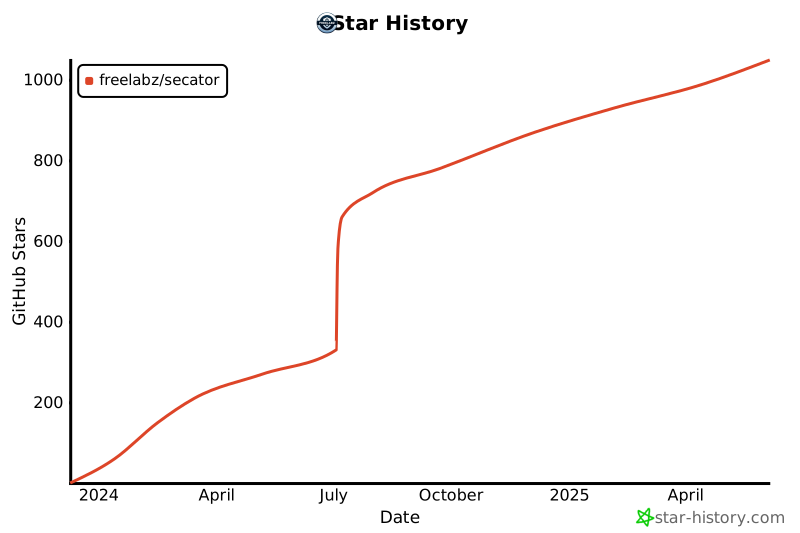
## Stats
Read more