## https://sploitus.com/exploit?id=KITPLOIT:POSTS-GITHUB-NINOSEKI-MITAKA-V2100
# Mitaka
  
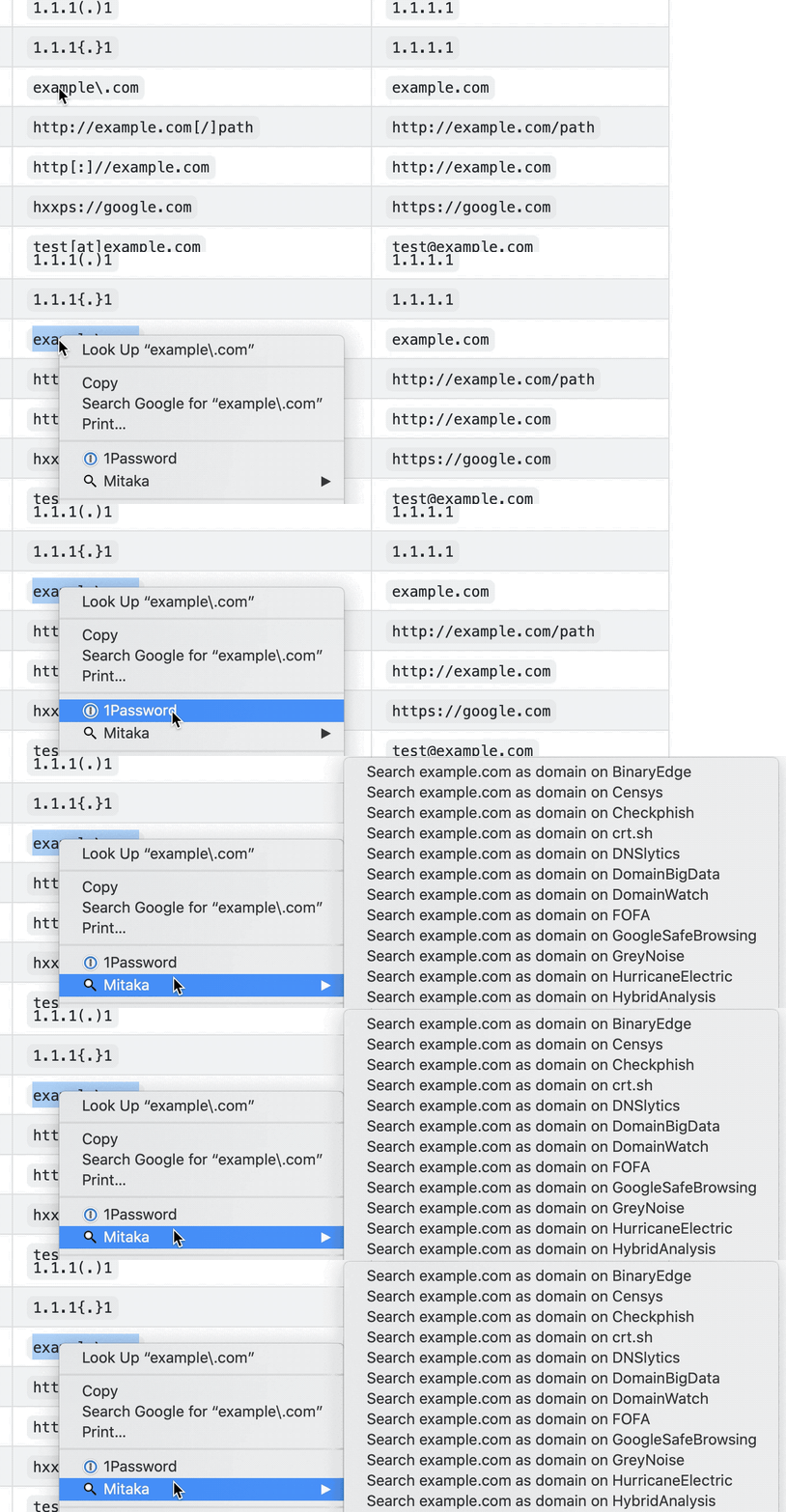
Mitaka is a browser extension that makes your OSINT (Open Source Intelligence) search & scan easier.
* Key features:
* Auto IoC (indicators of compromise) selection with refanging.
* E.g. `example[.]com` to `example.com`, `test[at]example.com` to `some-email@example.com`, `hxxp://example.com` to `http://example.com`, etc.
* Supports 65+ services.
## Install
  
  
## Features
### Supported IoCs (Indicators of Compromise)
Name| Desc.| E.g.
---|---|---
ANS| ASN| `AS13335`
BTC| BTC address| `1A1zP1eP5QGefi2DMPTfTL5SLmv7DivfNa`
CVE| CVE number| `CVE-2018-11776`
Domain| Domain name| `github.com`
Email| Email address| `some-email@example.com`
ETH| Ethereum address| `0x32be343b94f860124dc4fee278fdcbd38c102d88`
GaPubID| Google Adsense Publisher ID| `pub-9383614236930773`
GaTrackID| Google Analytics Tracker ID| `UA-67609351-1`
Hash| MD5, SHA1, SHA256| `44d88612fea8a8f36de82e1278abb02f`
IP| IPv4 address| `8.8.8.8`
URL| URL| `https://github.com`
### Supported Search Engines
Name| URL| Supported types
---|---|---
AbuseIPDB| https://www.abuseipdb.com| IP
AnyRun| https://app.any.run| Hash
archive.org| https://archive.org| URL
Blockchain.com| https://www.blockchain.com| BTC
BlockCypher| https://live.blockcypher.com| BTC
Censys| https://censys.io| IP, domain, ASN, email
Checkphish| https://checkphish.ai| IP, domain
Coalition| https://ess.coalitioninc.com| CVE
crt.sh| https://crt.sh| Domain
CVE| https://cve.org| CVE
DNS Coffee| https://dns.coffee| Domain
DNSlytics| https://search.dnslytics.com| IP, domain
DomainTools| https://www.domaintools.com| IP, domain
EmailRep| https://emailrep.io| Email
Google Safe Browsing| https://transparencyreport.google.com| Domain, URL
GreyNoise| https://viz.greynoise.io| IP, domain, ASN, CVE
Host.io| https://host.io| Domain
Hurricane Electric| https://bgp.he.net/| IP, domain, ASN
HybridAnalysis| https://www.hybrid-analysis.com| IP, domain, hash
Intezer| https://analyze.intezer.com| Hash
IPinfo| https://ipinfo.io| IP, ASN
Joe Sandbox| https://www.joesandbox.com| Hash
Maltiverse| https://www.maltiverse.com| Domain, hash
MalwareBazaar| https://bazaar.abuse.ch| Hash
NVD| https://nvd.nist.gov| CVE
OOCPR| https://data.occrp.org| Email
OpenTIP| https://opentip.kaspersky.com| Hash
OTX| https://otx.alienvault.com| IP, domain, CVE, URL, hash
Pulsedive| https://pulsedive.com| IP, domain, URL, hash
Radar| https://radar.cloudflare.com| IP, domain
Robtex| https://www.robtex.com| IP, domain
SecurityTrails| https://securitytrails.com| IP, domain
Shodan| https://www.shodan.io| IP, domain, ASN
Sploitus| https://sploitus.com| CVE
SpyOnWeb| https://spyonweb.net| IP, domain, gaPubID, gaTrackID
Talos| https://talosintelligence.com| IP, domain
ThreatBook| https://threatbook.io| IP, domain
ThreatConnect| https://app.threatconnect.com| IP, domain, email
ThreatMiner| https://www.threatminer.org| IP, domain, hash
TIP| https://threatintelligenceplatform.com| IP, domain
Triage| https://tria.ge| Hash, URL
URLhaus| https://urlhaus.abuse.ch| IP, domain
urlscan.io| https://urlscan.io| IP, domain, ASN, URL
URLVoid| https://www.urlvoid.com| Domain
ViewDNS| https://viewdns.info| IP, domain, email
VirusTotal| https://www.virustotal.com| IP, domain, URL, hash
VMRay| https://www.vmray.com| Hash
Vulmon| https://vulmon.com| CVE
WebCheck| https://web-check.xyz| Domain
X-Force Exchange| https://exchange.xforce.ibmcloud.com| IP, domain, hash
ZoomEye| https://www.zoomeye.ai| IP
### Supported Scan Engines
name| url| supported types
---|---|---
Browserling| https://www.browserling.com| URL
HybridAnalysis| https://www.hybrid-analysis.com| URL
urlscan.io| https://urlscan.io| IP, domain, URL
VirusTotal| https://www.virustotal.com| URL
## How To Use
* Use Mitaka to Perform In-Browser OSINT to Identify Malware, Sketchy Sites, Shady Emails & More
**Note:** Please set your API keys in the options for enabling HybridAnalysis, urlscan.io and VirusTotal scans.
## Options
You can enable/disable a search engine on the options page based on your preference.
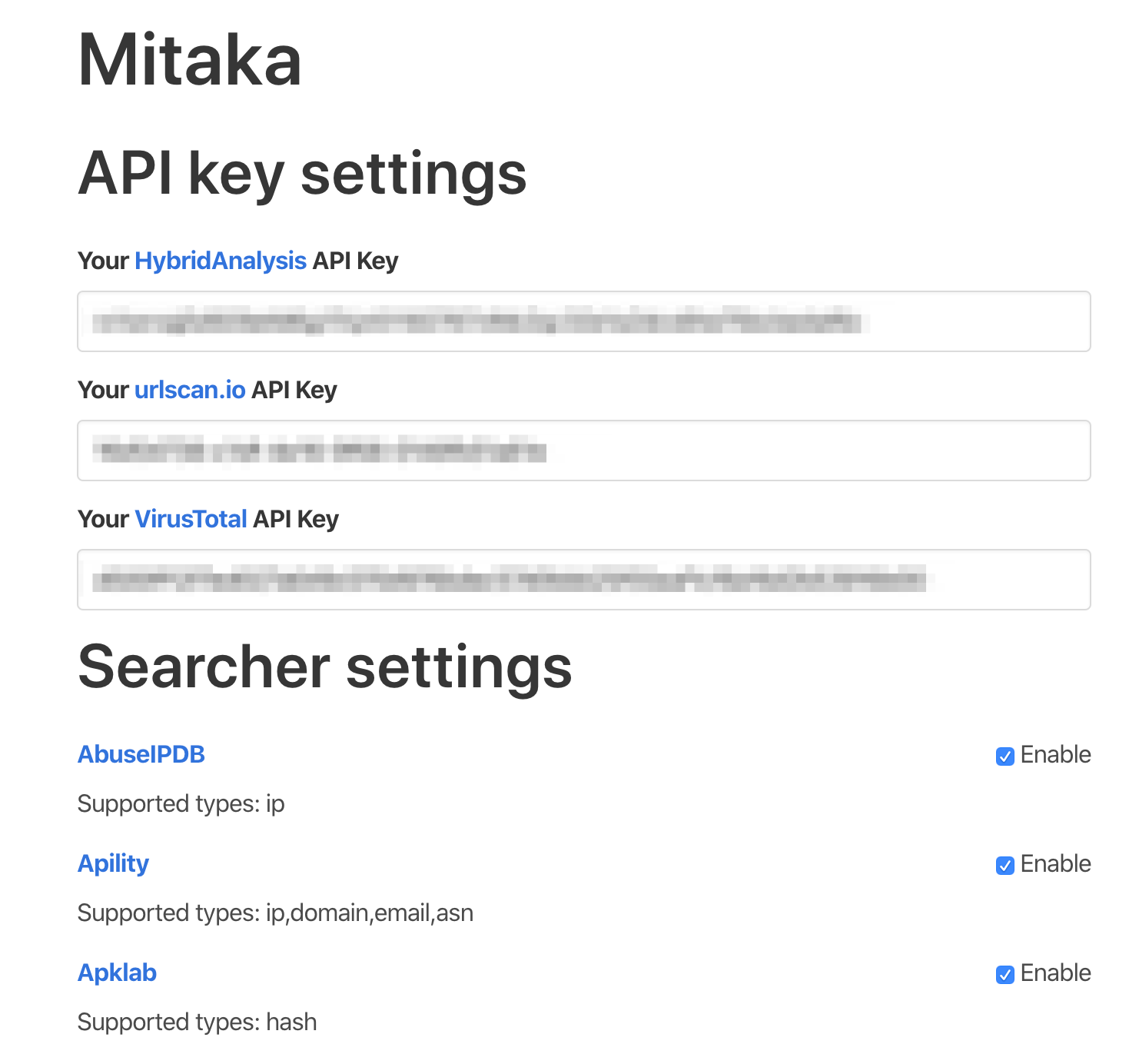
> [!NOTE] Basic preferences are stored in storage.sync. Thus they will be synced across devices. But API keys are stored in `storage.local`. You have to set API keys per device.
## Permissions
> [!NOTE] I don't and will never collect any information from the users. You can verify it by reviewing the source code.
### Firefox
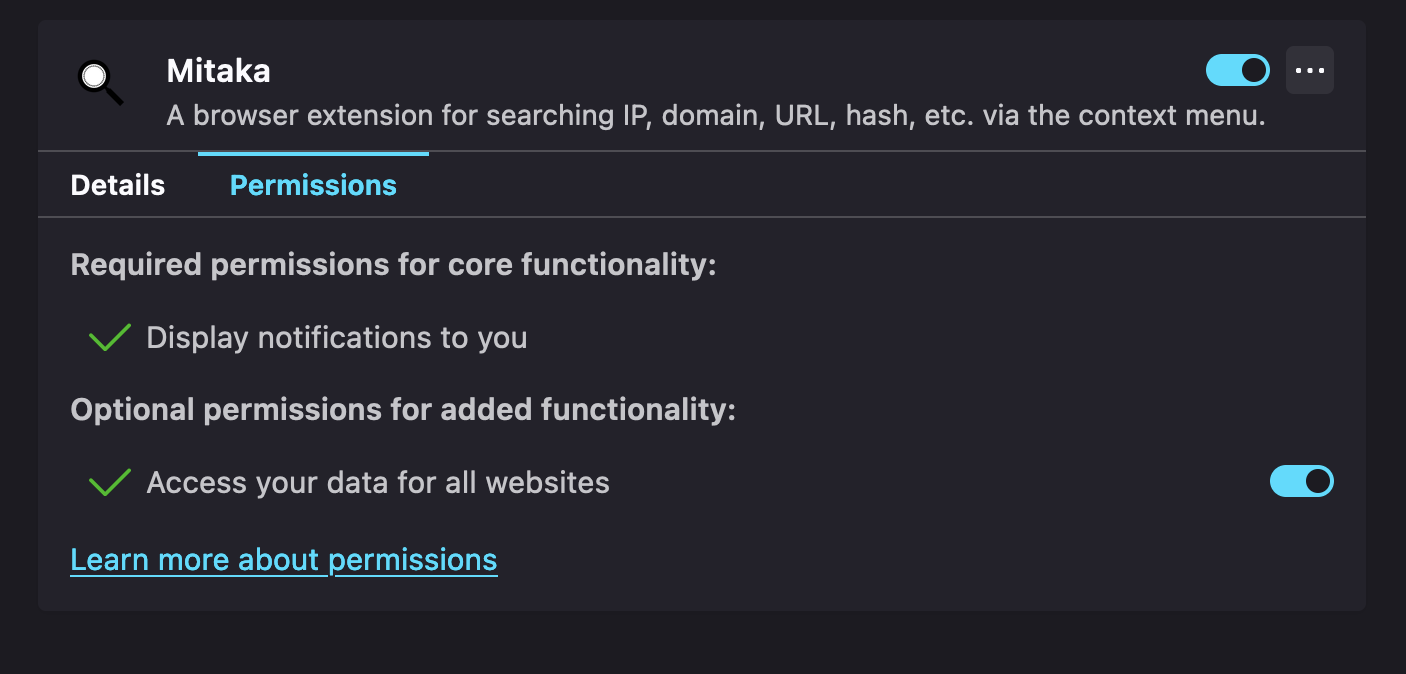
Please allow "Access your data for all websites" permission. Otherwise this extension does not work.
## Privacy Policy
* Privacy policy for the extension
## Common Questions
* Q. The context menu is not displayed.
* A. Sometimes it takes a while for the context menus to appear. Or something goes wrong while refreshing the context menus. This glitch can be solved by waiting for a second. Please take a breath after selecting and then right-click.
## Alternatives or Similar Tools
* CrowdScrape
* Gotanda
* SOC Multi-tool
* Sputnik
* ThreatConnect Integrated Chrome Extension
* ThreatPinch Lookup
* VTchromizer
## How It Works
root@kitploit:~
flowchart LR
CS[Content Script] --> |1 - Send Selection| BSW[Background Service Worker]
BSW --> |2 - Create Context Menus| CS
CS --> |3 - Click Context Menu| BSW
BSW --> |4 - Search/Scan| T[New Tab]
## Contribute
Read the contribution guide and join the contributors.
Read more